
Whittle
How to free up space on your phone without the scareware
Your phone says storage is almost full. Again. Here is what is really eating the space, how to get it back, and how Whittle does the heavy lifting without fake junk numbers or ads.
The short answer
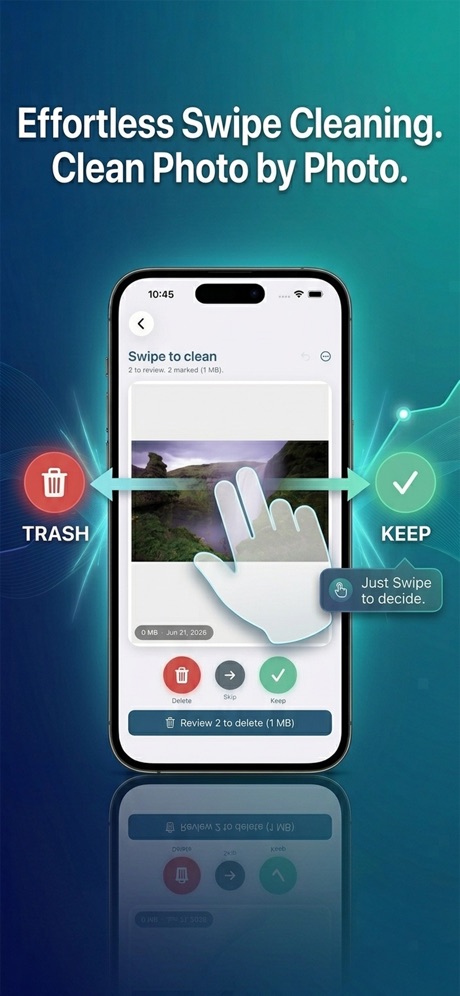
To free up space on your phone, start with photos and videos, because they are usually most of what fills it. Compress videos instead of deleting them, clear duplicates, blurry shots and old screenshots, then empty Recently Deleted so the space actually comes back. Whittle does all of this on iPhone and Android, entirely on the device, and shows the real space saved before and after.
Why is my phone storage always full?
Blame the camera. Modern phones shoot sharp photos and 4K video by default, and a single minute of 4K footage can take well over a hundred megabytes. Multiply that by a few birthdays, a vacation and a thousand screenshots of things you meant to read later, and the math catches up fast.
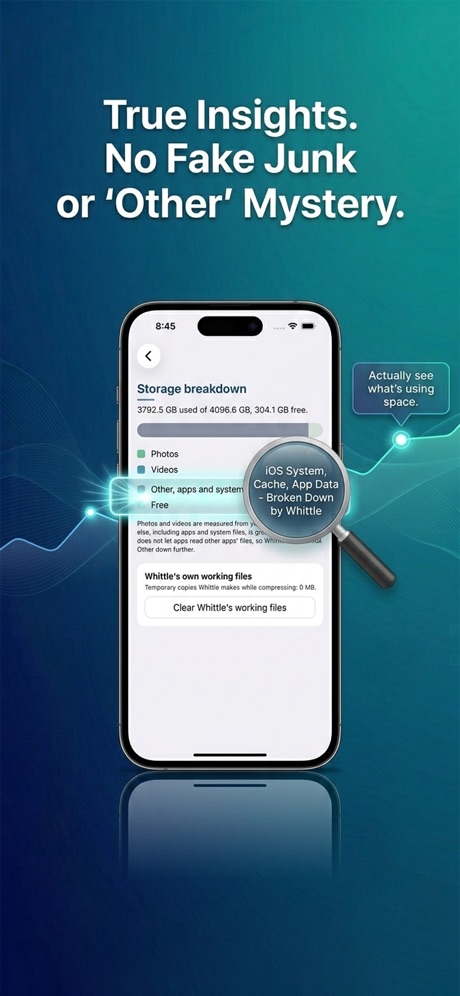
The team behind Whittle looked at where space really goes, and for most people photos and videos are 60 to 80 percent of the problem, not mysterious junk files. That changes the plan. You do not need a magic cleaning button. You need better tools for your media. The full breakdown is in the honest guide to cleaning storage on iPhone and Android.
The storage cleaner trap
Search the app stores for a phone cleaner and you will meet the same routine: a scan that finds 14.2 GB of junk, a flashing warning that your phone is 99 percent critical, a countdown, and a subscription wall. The numbers are inflated to push you toward an ad or a trial. Many free cleaners also collect your advertising ID, installed apps and location, which is a strange trade for an app that promises to clean things up.
Whittle was built as the opposite. No fake scans, no scareware, no ads, and nothing ever leaves your phone. Every cleanup shows a real before and after, so you can prove the space came back.
How Whittle frees up space
Whittle is a toolbox, and each tool goes after one kind of storage hog. Here is what each one does and when to reach for it.
| Tool | What it does | Best for |
|---|---|---|
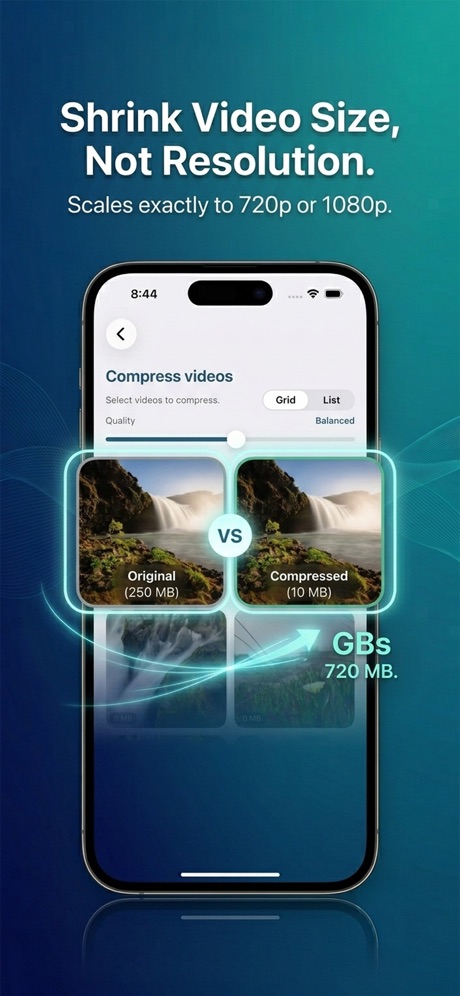
| Compress videos | Three levels, Sand, Shave and Whittle, from a light trim to a deep shrink | Long home videos you want to keep |
| Change codec | Rewrites older videos in HEVC so they look the same and take less room | Clips from older phones and apps |
| Trim video | Cuts the part you do not need without re encoding the rest | That 4 minute clip with 20 good seconds |
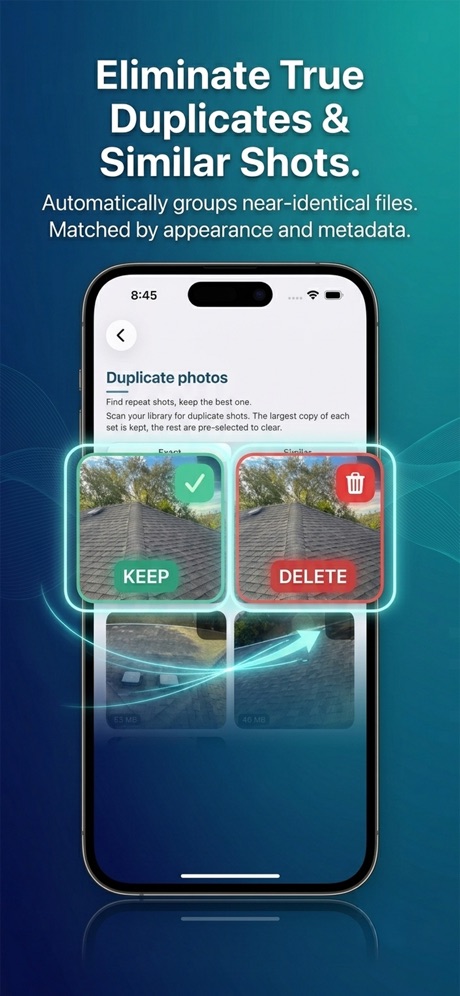
| Duplicate photos and videos | Matches on image content and color, and checks videos across several frames | Bursts, saves and resends |
| Blurry shots and screenshots | Finds the photos you never meant to keep | A fast first sweep |
| Compress photos | Smaller files that keep date, location and rotation | Huge camera rolls |
| Live Photos to stills | Keeps the photo and drops the motion clip, on iPhone | Years of Live Photos |
| Largest files and apps | Sorts everything by size so the biggest wins come first | Finding the real space hogs |
On Android, Whittle adds app cache clearing, unused apps, moving files to an SD card, duplicate contacts and messaging media from apps like WhatsApp and Telegram.
The tech under the hood
Here is the fun part. Whittle is two native apps, one written for iPhone and one for Android, instead of one app wrapped to run on both. That matters, because each version talks directly to its platform's own photo library, video encoders and storage tools. When Whittle compresses a video on iPhone, it works with Apple's own video tools rather than a bundled converter.
Duplicate detection is smarter than comparing file names. Whittle looks at what is actually in the picture, its content and color, so two copies of the same shot are caught even when one was saved from a message and renamed. Videos are compared across several frames, which is how it spots the same clip saved twice at different sizes.
Photo compression keeps the details you care about: the date, the place and the rotation stay with the photo, so your library still sorts and maps correctly. And anything removed from your photo library goes to Recently Deleted first, where it stays for 30 days. Every cleanup can be undone.
Space you can prove. Deletes you can take back.
A five minute cleanup plan
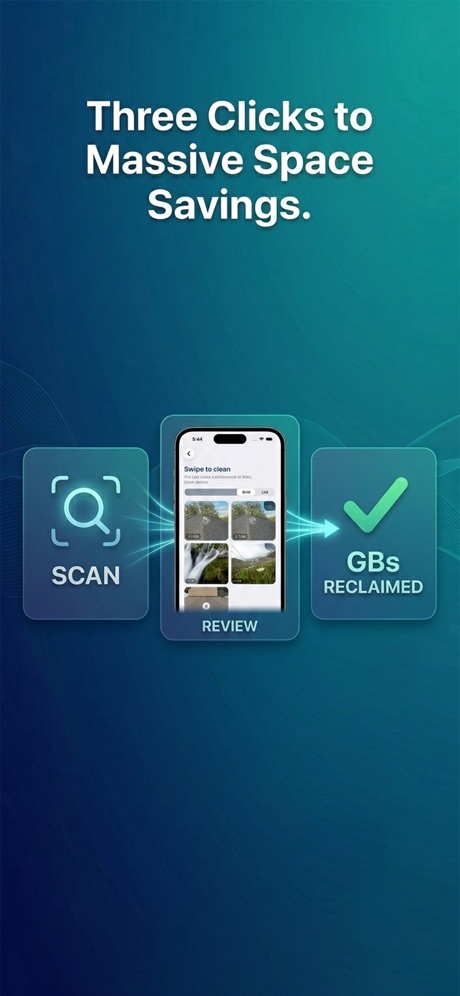
- Open Whittle and check the storage breakdown to see what is really using your space.
- Run compress videos on your largest clips. This is usually the single biggest win.
- Sweep duplicates, blurry shots and screenshots, swiping to keep or clear.
- Convert old Live Photos to stills if you never play them.
- Empty Recently Deleted when you are sure. Until you do, removed photos still count against your storage.
Prefer to do it by hand? On iPhone, Settings, General, iPhone Storage shows your biggest apps and can offload the ones you rarely use. On Android, Settings, Storage does the same job.
What Whittle costs
Every tool works on up to 10 items for free, which is enough to see real results. Whittle Pro unlocks unlimited cleanup for $3.99 a month, $19.99 a year, or $39.99 once for life. There are no ads in either version. Whittle is on the App Store for iPhone and on Google Play for Android, and you can read more at getwhittle.app.
Questions people ask
What takes up the most space on a phone?
For most people it is photos and videos, which often make up 60 to 80 percent of used storage. Apps, message attachments and downloads come next.
Is it safe to compress videos to save space?
Yes, if the tool keeps a copy you can recover. Whittle shows the before and after size, and the original goes to Recently Deleted for 30 days, so you can restore it if you do not like the result.
Why did deleting photos not free up space?
On iPhone, deleted photos sit in Recently Deleted for 30 days and still count against your storage. Empty that album to get the space back right away.
Do phone cleaner apps really work?
Many inflate their junk numbers to sell subscriptions. Tools that compress media and remove real duplicates do free space, and a good one shows you exactly how much.
Does Whittle upload my photos?
No. Whittle works entirely on your phone and never uploads, sells or shares your photos, videos or data.
Is Whittle free?
Yes. Every tool works on up to 10 items for free. Whittle Pro is $3.99 a month, $19.99 a year or $39.99 once.