
Roomor
What's new in Roomor: Brewline, Save parking, Meet in the middle and the Everyone map
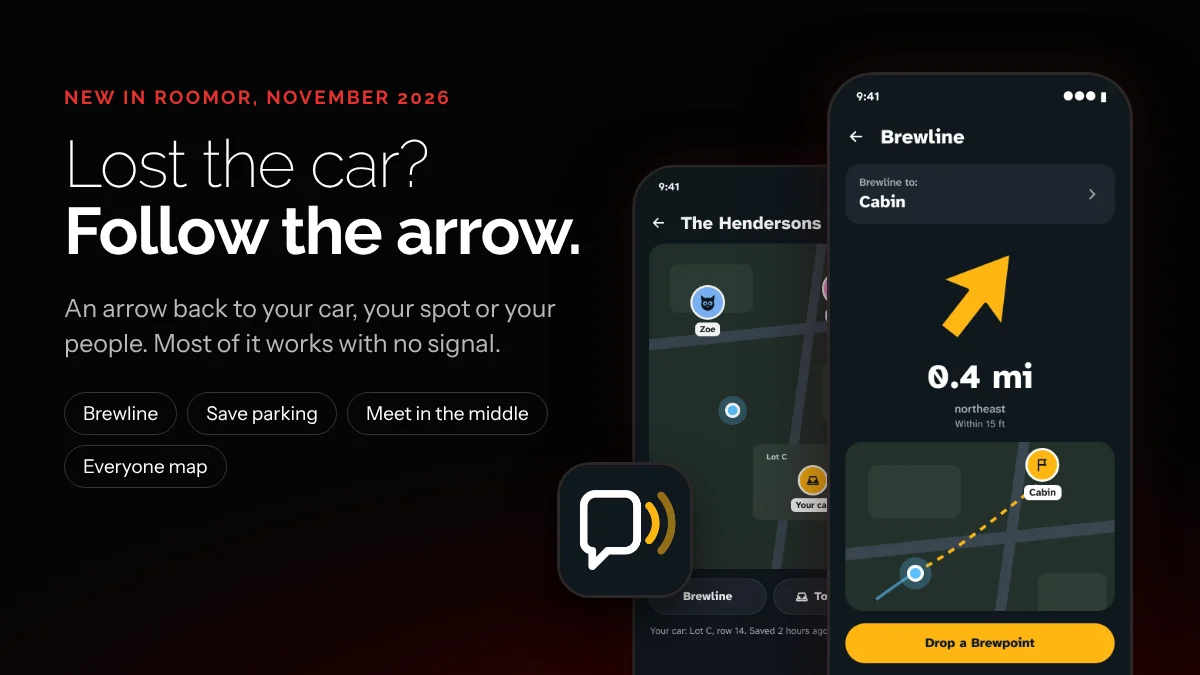
Roomor started as private rooms for family and friends. The newest features are about not losing each other: finding the car, getting back to the cabin with no bars, and picking a fair place to meet. Here is what each one does, and the guide that walks you through it.
The short answer
Roomor added six new features, most of them on the map, and most of them work with no signal. Brewline points an arrow back to a spot you saved, your car or a person in your room. Save parking remembers where you left the car. Meet in the middle finds a fair spot between everyone who is meeting. The Everyone map puts all your Family and Friends rooms on one map. Saved map areas keep the map showing when the bars drop. Places on roomor.app lists the shops, bars and restaurants that have a Roomor room. Each one has a step-by-step guide in Roomor's help library, linked below.
Full disclosure: Roomor is a Slover Digital app. It started as private rooms for family and friends: chat, Teatime video and a family map. This round goes after the places people actually lose each other, like parking lots, theme parks and cabins with no bars.
Brewline: an arrow back to your spot
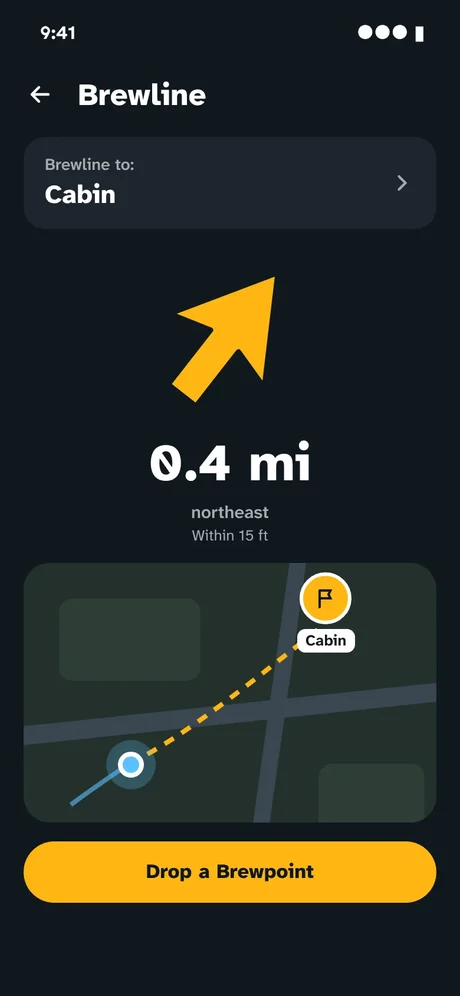
Brewline does one job: it gets you back. Drop a Brewpoint where you are, like the cabin, camp or your umbrella on a crowded beach, and later Roomor points an arrow back to it and counts down the distance. It runs on your phone's GPS, which listens to satellites, so it keeps working after the cell signal is gone.
You can point Brewline at more than your own Brewpoints. It also goes to your parking spot, to a spot someone shared in your room, or to a person who is sharing their location. Turn it on for an hour, four hours, twelve hours or all day and it keeps working with the screen off. Turn on Retrace your steps to see the way you came on the map.
There's a quiet extra. While Brewline is on, Roomor lets you know when someone from your Family or Friends rooms gets close. That started as a hunting request, so a partner doesn't walk up on your stand without warning.
Your Brewpoints and your trail stay on your phone unless you share them. Read the Brewline guide.
Save parking: find the car
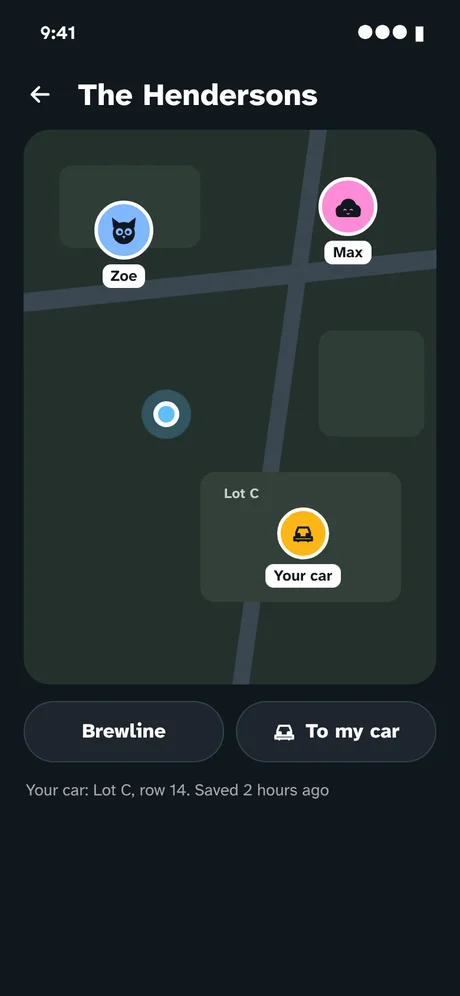
When you park, tap Save parking and add a note like "Lot C, row 14." Hours later, tap To my car and Brewline points you back to it. The note matters most in garages, where a pin on a map can't tell you which level you're on.
If someone else is walking back to the car, share the spot with the room and it shows on that room's map. Read the Save parking guide.
Meet in the middle: no addresses to type
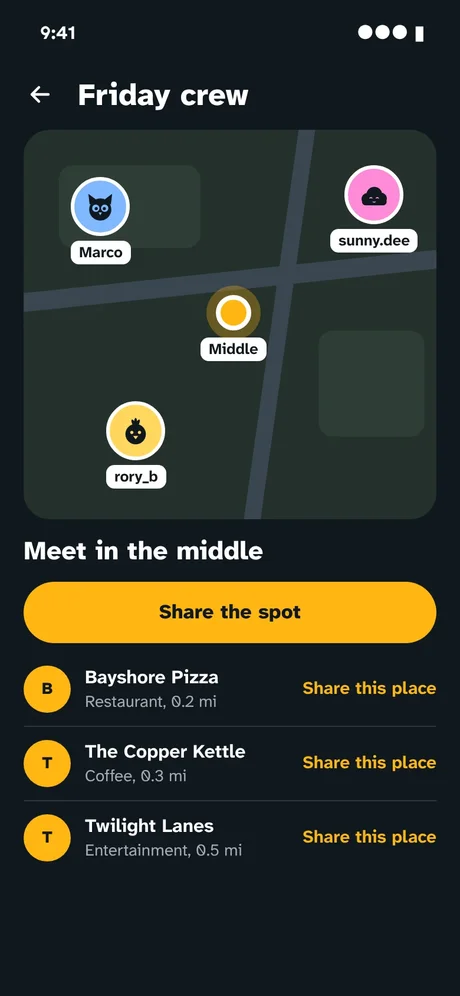
Most halfway tools make you type everyone's address. Your phone already knows where the people in your room are sharing from, so you just pick who is meeting. Roomor works out the middle right on your phone and shows places on Roomor near it.
Tap Share the spot and it lands in the room as a card. Everyone taps the card to see it on the map, and its Brewline there button points the way. Nothing is sent until you share it. Read the Meet in the middle guide.
The Everyone map: all your people at once
Before this, you checked each room's map one at a time. The Everyone map sits at the top of Home and shows everyone sharing in all your Family and Friends rooms, each person once, with how far away they are and which way.
It doesn't share anything new. It only shows what each room already shows you, and a teen's limits still apply room by room. Business rooms and hidden rooms never show up on it. Read the Everyone map guide.
Maps that work with no signal
An arrow gets you back without a map. Still, a map is nice. Before you leave the house, while you still have signal, save the area you're headed to. It can be up to about 30 miles across, you can keep five, and each one stays for 30 days after you last open it. Brewline uses your saved areas too, so the arrow and the map both work in a dead zone.
Messages work with no signal as well. Roomor passes them phone to phone over Bluetooth to the people in your room nearby. Read the saved map areas guide.
Places on roomor.app
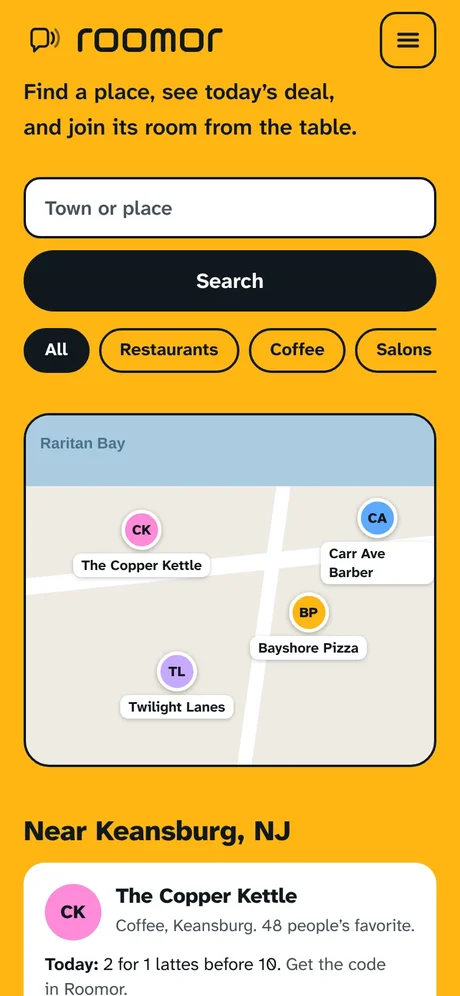
Places is the one you don't need the app for. roomor.app/places lists the shops, bars and restaurants that have a Roomor room, on a map in any browser. Search a town or tap Use my location, open a place to see today's deal and its hours, then join its room in Roomor.
A deal that says "Get the code in Roomor" keeps its code inside the place's room. Read the Places guide.
The help library grew with it
Every feature here has its own page in Roomor's help library, which now has 89 guides. Each one is short: what it does, the taps in order, and what to know before you use it.
If you'd rather see the features in a real day, The Kettle, Roomor's blog, walks through a few:
Questions people ask
Does Brewline work with no signal?
Yes. Brewline uses your phone's GPS, which works without cell service. Save a map area before you go if you want the map to show too.
Can Roomor see my parking spot or my Brewpoints?
No. They stay on your phone unless you share them, and what you share is locked so only that room can see it, not even Roomor.
Does Meet in the middle need everyone's address?
No. It uses where the people in your room already share their location from. It needs your location and at least one other person sharing theirs.
What is the Everyone map in Roomor?
It's the map at the top of Home. It shows everyone sharing in all your Family and Friends rooms, each person once, with how far away they are.
Do I need the app to use Places?
No. roomor.app/places works in any browser. Joining a place's room takes the Roomor app.
Can I get Roomor right now?
Roomor is invite only for now. You can join the waiting list at roomor.app and get one email the day it opens to everyone.